

Appliance Types
- Air Conditioner
- Automobile
- Chainsaw
- Circular Saw
- Dishwasher
- Drills
- Dryer
- Drywall Screw Gun
- Furnace
- Gas Fireplace
- Gas Grill
- Gas Patio Heater
- Grinder
- Heat Pump
- Impact Driver
- Impact Wrench
- Microwave
- Nailer
- Orbital Sander
- Pool Heaters
- Powerwall
- Range
- Refrigerator
- Television
- Washer
- Water Heater
Appliance Brands
- A.O. Smith
- AccuCold
- Admiral Craft
- AGA
- Airrex
- Amana
- Ambiance
- American Range
- American Standard
- American Water Heaters
- Aquacal
- Armstrong
- Asko
- Avanti
- Avenlur
- Azure
- Beko
- Bellfires
- Bertazzoni
- Blackstone
- Blaze
- Blomberg
- BlueStar
- Bosch
- Bradford White
- Bromic
- Bryant
- Cafe
- Calcana
- Capital
- Carrier
- Char-Broil
- Char-Griller
- Chrysler
- Coates
- Coleman
- Comfortmaker
- Commercial Chef
- Continental
- Cosmo
- Cove
- Crown Verity
- Dacor
- Daikin
- Danby
- Danfoss
- DaVinci
- DCS
- Deco
- DeWALT
- Ducane
- Dyna-Glo
- Dyson
- EcoSmart
- Electrolux
- Element4
- Empava
- Equator
- Eurodib
- European Home
- Everdure
- Farberware
- Fhiaba
- FibroPool
- Fire Sense
- Fisher
- FiveStar
- Flare
- Flash Furniture
- Focus
- Ford
- Forno
- Forte
- Frigidaire
- Fulgor Milano
- Gaggenau
- GE
- General Motors
- GlowBrand
- Goodman
- Grundig
- GSW
- Haier
- Hayward
- Heatstar
- Heil
- Hestan
- Hisense
- Hitachi
- Hotpoint
- iio
- Ilve
- Impecca
- Ingignia
- Insignia
- JennAir
- John Wood
- Keeprite
- Kenmore
- Kenyon
- KitchenAid
- Kucht
- La Cornue
- Lennox
- LG
- Liebherr
- Lifetime
- Lion
- Luxaire
- Lynx
- Magic Chef
- Marvel
- Maytag
- McQuay
- MicroFridge
- Midea
- Miele
- Migali
- Monogram
- Montigo
- Mr Heater
- Napoleon
- Navien
- Nexgrill
- Noritz
- Panasonic
- Patio Comforts
- Payne
- Pentair
- Perlick
- PITT
- Premier
- Raypak
- Real Fyre
- Regency
- Reliance
- Rheem
- Rinnai
- Roma
- Ruud
- Saber
- Samsung
- Schwank
- Sharp
- Smeg
- Solas
- Sony
- Spartherm
- Speed Queen
- StaRite
- State Water Heaters
- Stiebel Eltron
- SubZero
- Summerset
- Summit
- SunGlo
- SunPak
- Sunpentown
- SunStar
- Superiore
- Takagi
- TCL
- TEC
- Tempstar
- Tesla
- Thermador
- Thor Kitchen
- Toshiba
- Town and Country
- Toyota
- Traeger
- Trane
- Twin Eagles
- U-Line
- Unique
- Vaillant Group
- Valor
- Verona
- Victory
- Viessmann
- Viking
- Vizio
- Weber
- Westinghouse
- Whirlpool
- Whynter
- York
- ZLINE
Article Categories
- Air Conditioners
- Appliance Care
- Appliance News
- Dishwasher News
- Drying Machines
- Furnaces
- Gas Fireplaces
- Microwaves
- Pool Heaters
- Refrigerators
- Stoves - Ranges
- Tips and Tricks
- Washing Machines
- Water Heaters
More Articles
Keep Your Microwave Cooking
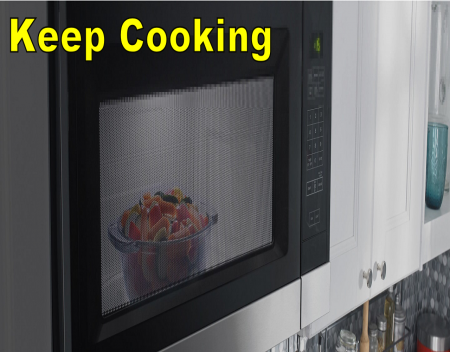
A hot and cheesy snack, a warm dessert, or a quick meal, they're all brought to you by the microwave. A working microwave is a beautiful thing. We want to help keep yours cooking. Let's look at some of the most common microwave issues and how to fix them, along with some cleaning and care tips.
Cleaning
Interior
Cleaning soil build-up from the interior of your microwave helps prevent arcing damage (seen as sparks or flashing). For spills and stains that aren't too stuck on, use mild soap and water with a soft cloth or sponge. Make sure you clean the turntable with soap and water as well. Then thoroughly dry the whole area with a soft or microfiber cloth.
For more stuck on stains, put one cup of water in a microwave safe cup and run the microwave for 3 to 5 minutes. This will help loosen the debris. Then clean with mild soap and water.
Exterior
To clean a traditional control or keypad, use mild soap and water or affresh® Kitchen and Appliance Cleaner with a soft cloth or sponge, and dry completely with a soft or microfiber cloth. To clean a glass control or keypad, use a glass cleaner or affresh® Kitchen and Appliance Cleaner with a soft cloth or sponge.
How you clean the full exterior of the microwave depends on what type of finish it has.
For traditional stainless steel, it's important not to use paper towels or any abrasive cleaners, sponges or washcloths. Instead, use affresh® Stainless Steel cleaner on a microfiber cloth, wiping in the direction of the grain. You can also use liquid detergent and warm water for this. To polish it off, use affresh® Stainless Steel wipes, or use a clean, dry towel to polish the surface in the direction of the grain until it shines.
For black stainless steel and fingerprint resistant stainless steel, you also want to avoid abrasive cleaning methods. Use warm water and mild soap or detergent. Wipe and dry.
For painted and metallic paint surfaces, use mild soap and water or affresh® Kitchen and Appliance Cleaner and a soft cloth or sponge. Avoid abrasive cleaning methods.
Removing odors
A funny smell coming from your microwave? There's an easy fix for that. Heat 1 cup (250 mL) of water with 1 tablespoon (15 mL) of either lemon juice or vinegar for 2 to 5 minutes in the microwave. Then clean the interior with warm water and a mild detergent, and dry it completely with a microfiber cloth.
Cleaning or replacing filters
You'll find the grease filters on the underside of the microwave. These should be cleaned with mild soap and water every month or according to the filter status indicator.
You'll find the charcoal filter behind the vent grille at the top front of the microwave oven. This filter can't be cleaned, but should instead be replaced every six months or according to the filter status indicator.
Condensation
Condensation in the door or in the interior are perfectly normal, but there are some ways to reduce it. Here are some things to try:
- Cover food. This helps retain moisture, shorten cook time, and reduce spattering.
- If there's a lid for the container, use it. This also helps with moisture, cook time, and spattering.
- When using plastic wrap, turn back one corner to vent steam.
Noises
Thumping or rumbling
This is likely coming from the turntable. Make sure it's been installed correctly and the support roller assembly is operating properly.
Not operating
Here are some things to check:
- Is your unit plugged into an inverter or some other power source? The power provided might not be enough for the heating source. Plug the unit into a wall outlet and try again.
- The control may be locked.
- The timer might have been set accidentally. Press Cancel to stop it.
- The door might not be fully closed. Make sure nothing is blocking the door lock, and close it firmly.
- If the microwave is working but the turntable isn't spinning.
Door issues
If your door won't close, first check to be sure nothing is blocking the door lock. You may also need to clean the door contact area.Then ensure your microwave is on a level surface. An uneven surface could be preventing your door from opening. Last but not least, make sure the door release button has been pushed hard.
Sparking, flashing or smoke concerns
Smoke during broiling or grilling cycles is normal, as is some sparking. General sparking and flashing, however, can be serious. Here are some possible causes.
Items are not microwave safe
Uh-oh, items that are not microwave safe have been put in the microwave. This includes metal items, aluminum foil, silver, pewter, non-approved meat thermometers, skewers, twist ties, foil liners, and objects with gold or silver trim or a metallic glaze. Remove them right away.
Baking or cooking trays
When baking trays or cooking racks are left in the microwave during cycles that don't require them, sparking and flashing can happen. Remove them to prevent permanent damage.
Certain vegetables
Vegetables high in minerals can create an arcing effect in the food itself.
Soil build-up
Soil build-up inside the microwave can cause sparking and flashing. Use mild soap and warm water with a soft cloth or sponge to remove it.
Cooking performance
If cook times seem long, make sure the power level is set to 100% or to the appropriate power level for what's being cooked
If it still seems like your food's taking too long to cook, here are some things to consider:
- The more food you heat at once, the longer it will take. Check for doneness, and add more time in small increments if necessary.
- Small, uniform pieces of food cook the fastest and most evenly.
- Room temperature food will heat faster than refrigerated food, and refrigerated food will heat faster than frozen.
- Foods high in fat and sugar heat faster. Dense foods like meat and potatoes, however, require a longer cooking time.
Light concerns
Interior, cooktop, or vent light not working
Check the power supply, is it connected and are the circuit breakers and fuses in proper working order? If these check out, make sure your bulb is working.
You'll find the cooktop or vent light on the underside of the microwave. To replace it, remove the bulb cover screw and open the bulb cover, remove the bulb and replace it with a new incandescent bulb, then close the bulb cover and secure it with a screw.
You'll find the interior light bulb behind the vent grille at the top front of the microwave, under the bulb cover. This light is not replaceable on all models, check your use and care guide to see if yours is.
Cooktop or vent light only
Check to see if the light timer has been turned on. When set, the light will only turn on at the time the timer has been set for. To set the timer, press Options or Setup to reach the Light Timer submenu, and set the "light on" time and "light off" time in hours and minutes with A.M. or P.M.
Vent or fan concerns
It's normal for the fan to automatically come on while the microwave is running; this helps with cooling. It may also automatically come on and cycle on and off for cooling while the cooktop is being used, and may stay on for up to an hour after the cooktop has been used. After running for four hours, the vent fan will automatically turn off.
Not turning on
Press the Vent Fan pad once for high speed, twice for medium, three times for low, or four times for off. If you're pressing the button and it won't turn on, try resetting power to the microwave.
Lingering odor or vapor
Your filters may need to be cleaned or replaced. Refer to the "Cleaning or replacing filters" section of this post. If you change or replace your filters and performance does not improve, you may need to have your vents cleaned by a professional.
Source: amana.com
A hot and cheesy snack, a warm dessert, or a quick meal, they're all brought to you by the microwave. A working microwave is a beautiful thing. We want to help keep yours cooking. Let's look at some of the most common microwave issues and how to fix them, along with some cleaning and care tips.
Cleaning
Interior
Cleaning soil build-up from the interior of your microwave helps prevent arcing damage (seen as sparks or flashing). For spills and stains that aren't too stuck on, use mild soap and water with a soft cloth or sponge. Make sure you clean the turntable with soap and water as well. Then thoroughly dry the whole area with a soft or microfiber cloth.
For more stuck on stains, put one cup of water in a microwave safe cup and run the microwave for 3 to 5 minutes. This will help loosen the debris. Then clean with mild soap and water.
Exterior
To clean a traditional control or keypad, use mild soap and water or affresh® Kitchen and Appliance Cleaner with a soft cloth or sponge, and dry completely with a soft or microfiber cloth. To clean a glass control or keypad, use a glass cleaner or affresh® Kitchen and Appliance Cleaner with a soft cloth or sponge.
How you clean the full exterior of the microwave depends on what type of finish it has.
For traditional stainless steel, it's important not to use paper towels or any abrasive cleaners, sponges or washcloths. Instead, use affresh® Stainless Steel cleaner on a microfiber cloth, wiping in the direction of the grain. You can also use liquid detergent and warm water for this. To polish it off, use affresh® Stainless Steel wipes, or use a clean, dry towel to polish the surface in the direction of the grain until it shines.
For black stainless steel and fingerprint resistant stainless steel, you also want to avoid abrasive cleaning methods. Use warm water and mild soap or detergent. Wipe and dry.
For painted and metallic paint surfaces, use mild soap and water or affresh® Kitchen and Appliance Cleaner and a soft cloth or sponge. Avoid abrasive cleaning methods.
Removing odors
A funny smell coming from your microwave? There's an easy fix for that. Heat 1 cup (250 mL) of water with 1 tablespoon (15 mL) of either lemon juice or vinegar for 2 to 5 minutes in the microwave. Then clean the interior with warm water and a mild detergent, and dry it completely with a microfiber cloth.
Cleaning or replacing filters
You'll find the grease filters on the underside of the microwave. These should be cleaned with mild soap and water every month or according to the filter status indicator.
You'll find the charcoal filter behind the vent grille at the top front of the microwave oven. This filter can't be cleaned, but should instead be replaced every six months or according to the filter status indicator.
Condensation
Condensation in the door or in the interior are perfectly normal, but there are some ways to reduce it. Here are some things to try:
- Cover food. This helps retain moisture, shorten cook time, and reduce spattering.
- If there's a lid for the container, use it. This also helps with moisture, cook time, and spattering.
- When using plastic wrap, turn back one corner to vent steam.
Noises
Thumping or rumbling
This is likely coming from the turntable. Make sure it's been installed correctly and the support roller assembly is operating properly.
Not operating
Here are some things to check:
- Is your unit plugged into an inverter or some other power source? The power provided might not be enough for the heating source. Plug the unit into a wall outlet and try again.
- The control may be locked.
- The timer might have been set accidentally. Press Cancel to stop it.
- The door might not be fully closed. Make sure nothing is blocking the door lock, and close it firmly.
- If the microwave is working but the turntable isn't spinning.
Door issues
If your door won't close, first check to be sure nothing is blocking the door lock. You may also need to clean the door contact area.Then ensure your microwave is on a level surface. An uneven surface could be preventing your door from opening. Last but not least, make sure the door release button has been pushed hard.
Sparking, flashing or smoke concerns
Smoke during broiling or grilling cycles is normal, as is some sparking. General sparking and flashing, however, can be serious. Here are some possible causes.
Items are not microwave safe
Uh-oh, items that are not microwave safe have been put in the microwave. This includes metal items, aluminum foil, silver, pewter, non-approved meat thermometers, skewers, twist ties, foil liners, and objects with gold or silver trim or a metallic glaze. Remove them right away.
Baking or cooking trays
When baking trays or cooking racks are left in the microwave during cycles that don't require them, sparking and flashing can happen. Remove them to prevent permanent damage.
Certain vegetables
Vegetables high in minerals can create an arcing effect in the food itself.
Soil build-up
Soil build-up inside the microwave can cause sparking and flashing. Use mild soap and warm water with a soft cloth or sponge to remove it.
Cooking performance
If cook times seem long, make sure the power level is set to 100% or to the appropriate power level for what's being cooked
If it still seems like your food's taking too long to cook, here are some things to consider:
- The more food you heat at once, the longer it will take. Check for doneness, and add more time in small increments if necessary.
- Small, uniform pieces of food cook the fastest and most evenly.
- Room temperature food will heat faster than refrigerated food, and refrigerated food will heat faster than frozen.
- Foods high in fat and sugar heat faster. Dense foods like meat and potatoes, however, require a longer cooking time.
Light concerns
Interior, cooktop, or vent light not working
Check the power supply, is it connected and are the circuit breakers and fuses in proper working order? If these check out, make sure your bulb is working.
You'll find the cooktop or vent light on the underside of the microwave. To replace it, remove the bulb cover screw and open the bulb cover, remove the bulb and replace it with a new incandescent bulb, then close the bulb cover and secure it with a screw.
You'll find the interior light bulb behind the vent grille at the top front of the microwave, under the bulb cover. This light is not replaceable on all models, check your use and care guide to see if yours is.
Cooktop or vent light only
Check to see if the light timer has been turned on. When set, the light will only turn on at the time the timer has been set for. To set the timer, press Options or Setup to reach the Light Timer submenu, and set the "light on" time and "light off" time in hours and minutes with A.M. or P.M.
Vent or fan concerns
It's normal for the fan to automatically come on while the microwave is running; this helps with cooling. It may also automatically come on and cycle on and off for cooling while the cooktop is being used, and may stay on for up to an hour after the cooktop has been used. After running for four hours, the vent fan will automatically turn off.
Not turning on
Press the Vent Fan pad once for high speed, twice for medium, three times for low, or four times for off. If you're pressing the button and it won't turn on, try resetting power to the microwave.
Lingering odor or vapor
Your filters may need to be cleaned or replaced. Refer to the "Cleaning or replacing filters" section of this post. If you change or replace your filters and performance does not improve, you may need to have your vents cleaned by a professional.
Source: amana.com
Franke Coffee Systems introduced Mytico to Australia

Help me figure out what stove I have?

Whirlpool outlines progress on its 2030 sustainability targets

Dishwasher Troubleshooting Guide
How do I remove foul odors from my dishwasher?
How do I replace the door seal on my washing machine?
Miele presents the new dishwashers with FrontFit