

Appliance Types
- Air Conditioner
- Automobile
- Chainsaw
- Circular Saw
- Dishwasher
- Drills
- Dryer
- Drywall Screw Gun
- Furnace
- Gas Fireplace
- Gas Grill
- Gas Patio Heater
- Grinder
- Heat Pump
- Impact Driver
- Impact Wrench
- Microwave
- Nailer
- Orbital Sander
- Pool Heaters
- Powerwall
- Range
- Refrigerator
- Television
- Washer
- Water Heater
Appliance Brands
- A.O. Smith
- AccuCold
- Admiral Craft
- AGA
- Airrex
- Amana
- Ambiance
- American Range
- American Standard
- American Water Heaters
- Aquacal
- Armstrong
- Asko
- Avanti
- Avenlur
- Azure
- Beko
- Bellfires
- Bertazzoni
- Blackstone
- Blaze
- Blomberg
- BlueStar
- Bosch
- Bradford White
- Bromic
- Bryant
- Cafe
- Calcana
- Capital
- Carrier
- Char-Broil
- Char-Griller
- Chrysler
- Coates
- Coleman
- Comfortmaker
- Commercial Chef
- Continental
- Cosmo
- Cove
- Crown Verity
- Dacor
- Daikin
- Danby
- Danfoss
- DaVinci
- DCS
- Deco
- DeWALT
- Ducane
- Dyna-Glo
- Dyson
- EcoSmart
- Electrolux
- Element4
- Empava
- Equator
- Eurodib
- European Home
- Everdure
- Farberware
- Fhiaba
- FibroPool
- Fire Sense
- Fisher
- FiveStar
- Flare
- Flash Furniture
- Focus
- Ford
- Forno
- Forte
- Frigidaire
- Fulgor Milano
- Gaggenau
- GE
- General Motors
- GlowBrand
- Goodman
- Grundig
- GSW
- Haier
- Hayward
- Heatstar
- Heil
- Hestan
- Hisense
- Hitachi
- Hotpoint
- iio
- Ilve
- Impecca
- Ingignia
- Insignia
- JennAir
- John Wood
- Keeprite
- Kenmore
- Kenyon
- KitchenAid
- Kucht
- La Cornue
- Lennox
- LG
- Liebherr
- Lifetime
- Lion
- Luxaire
- Lynx
- Magic Chef
- Marvel
- Maytag
- McQuay
- MicroFridge
- Midea
- Miele
- Migali
- Monogram
- Montigo
- Mr Heater
- Napoleon
- Navien
- Nexgrill
- Noritz
- Panasonic
- Patio Comforts
- Payne
- Pentair
- Perlick
- PITT
- Premier
- Raypak
- Real Fyre
- Regency
- Reliance
- Rheem
- Rinnai
- Roma
- Ruud
- Saber
- Samsung
- Schwank
- Sharp
- Smeg
- Solas
- Sony
- Spartherm
- Speed Queen
- StaRite
- State Water Heaters
- Stiebel Eltron
- SubZero
- Summerset
- Summit
- SunGlo
- SunPak
- Sunpentown
- SunStar
- Superiore
- Takagi
- TCL
- TEC
- Tempstar
- Tesla
- Thermador
- Thor Kitchen
- Toshiba
- Town and Country
- Toyota
- Traeger
- Trane
- Twin Eagles
- U-Line
- Unique
- Vaillant Group
- Valor
- Verona
- Victory
- Viessmann
- Viking
- Vizio
- Weber
- Westinghouse
- Whirlpool
- Whynter
- York
- ZLINE
Article Categories
- Air Conditioners
- Appliance Care
- Appliance News
- Dishwasher News
- Drying Machines
- Furnaces
- Gas Fireplaces
- Microwaves
- Pool Heaters
- Refrigerators
- Stoves - Ranges
- Tips and Tricks
- Washing Machines
- Water Heaters
More Articles
How to Troubleshoot Blinking on a GE Range
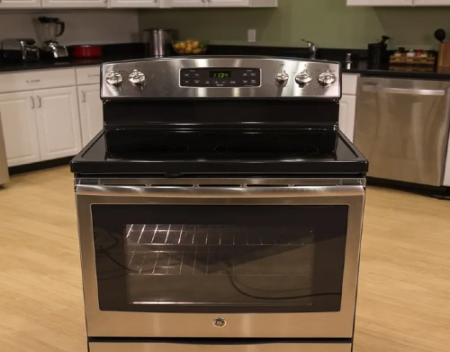
GE ranges come in gas and electric models and various configurations, such as slide-in, freestanding or drop-in, and have many cooking features and options. While most of what a GE range can do comes as a benefit to the user, such as convection cooking or self-cleaning, sometimes the range may do something that is unusual or surprising. If the range display is blinking and the control panel will not work, basic troubleshooting steps should return it to normal function.
Step 1.
Push "Cancel" if the display is blinking on the GE range. When the display blinks, it indicates a recent power failure or outage.
Step 2.
Touch "Clock" and press the corresponding number pads for the time of day.
Step 3.
Touch "Start" to confirm the time of day and restore normal control pad function.
Step 4.
Unplug the range and wait 60 seconds if the display keeps blinking. Restore power and try to set the clock again.
GE ranges are sold in freestanding, drop-in, and slide-in styles in electric or gas format. The ovens range in price and have many available options, such as a baking or storage drawer, convection cooking, self-cleaning cycle, adjustable burners and a built-in meat probe. The ranges also often feature a backsplash or control panel with a clock and electronic keypads, but if the clock and the controls are dead and won't work, troubleshooting might help determine why.
Power.
If there are problems or disruptions in power, the range controls and clock may not function. The power cord must be plugged securely into a live, grounded outlet. If there was a power outage or failure, or the plug is connected to an outlet but the oven is still not working, reset or replace the circuit breaker or fuse.
Range Lockout.
Many GE ranges have a range lockout feature that locks the control panel so it cannot be activated or used, which may lead some users to believe the controls are not operable. Press the "Range Lockout" button and then "Start" to unlock it. The lockout feature affects all controls and must be unlocked to access or use the range.
Clock Blackout.
The clock can be blacked out on many GE ranges, which makes the clock appear as though it is not working. If the clock blackout feature is active, the delay start feature will not operate. To release this feature, press "Clock" three times until the display shows "Off." Press "Start" to confirm.
Service.
If power seems to be working to the range and the range lockout, clock blackout or other features are not active and the clock and controls still do not work, reset the oven. Disconnect power to the range for 30 seconds, and then reconnect the power to perform a reset. If this does not resolve the issue, contact GE for service.
SOURCE: hunker.com
GE ranges come in gas and electric models and various configurations, such as slide-in, freestanding or drop-in, and have many cooking features and options. While most of what a GE range can do comes as a benefit to the user, such as convection cooking or self-cleaning, sometimes the range may do something that is unusual or surprising. If the range display is blinking and the control panel will not work, basic troubleshooting steps should return it to normal function.
Step 1.
Push "Cancel" if the display is blinking on the GE range. When the display blinks, it indicates a recent power failure or outage.
Step 2.
Touch "Clock" and press the corresponding number pads for the time of day.
Step 3.
Touch "Start" to confirm the time of day and restore normal control pad function.
Step 4.
Unplug the range and wait 60 seconds if the display keeps blinking. Restore power and try to set the clock again.
GE ranges are sold in freestanding, drop-in, and slide-in styles in electric or gas format. The ovens range in price and have many available options, such as a baking or storage drawer, convection cooking, self-cleaning cycle, adjustable burners and a built-in meat probe. The ranges also often feature a backsplash or control panel with a clock and electronic keypads, but if the clock and the controls are dead and won't work, troubleshooting might help determine why.
Power.
If there are problems or disruptions in power, the range controls and clock may not function. The power cord must be plugged securely into a live, grounded outlet. If there was a power outage or failure, or the plug is connected to an outlet but the oven is still not working, reset or replace the circuit breaker or fuse.
Range Lockout.
Many GE ranges have a range lockout feature that locks the control panel so it cannot be activated or used, which may lead some users to believe the controls are not operable. Press the "Range Lockout" button and then "Start" to unlock it. The lockout feature affects all controls and must be unlocked to access or use the range.
Clock Blackout.
The clock can be blacked out on many GE ranges, which makes the clock appear as though it is not working. If the clock blackout feature is active, the delay start feature will not operate. To release this feature, press "Clock" three times until the display shows "Off." Press "Start" to confirm.
Service.
If power seems to be working to the range and the range lockout, clock blackout or other features are not active and the clock and controls still do not work, reset the oven. Disconnect power to the range for 30 seconds, and then reconnect the power to perform a reset. If this does not resolve the issue, contact GE for service.
SOURCE: hunker.com
How to Stop Burning Your Food in the Oven
Samsung appliances stealing all my wifi
Why Did My Furnace Stop Working?
Innovating for the environment Grundig adds builtin microplastic filter to washing machines
How Long Does a Furnace Usually Last?
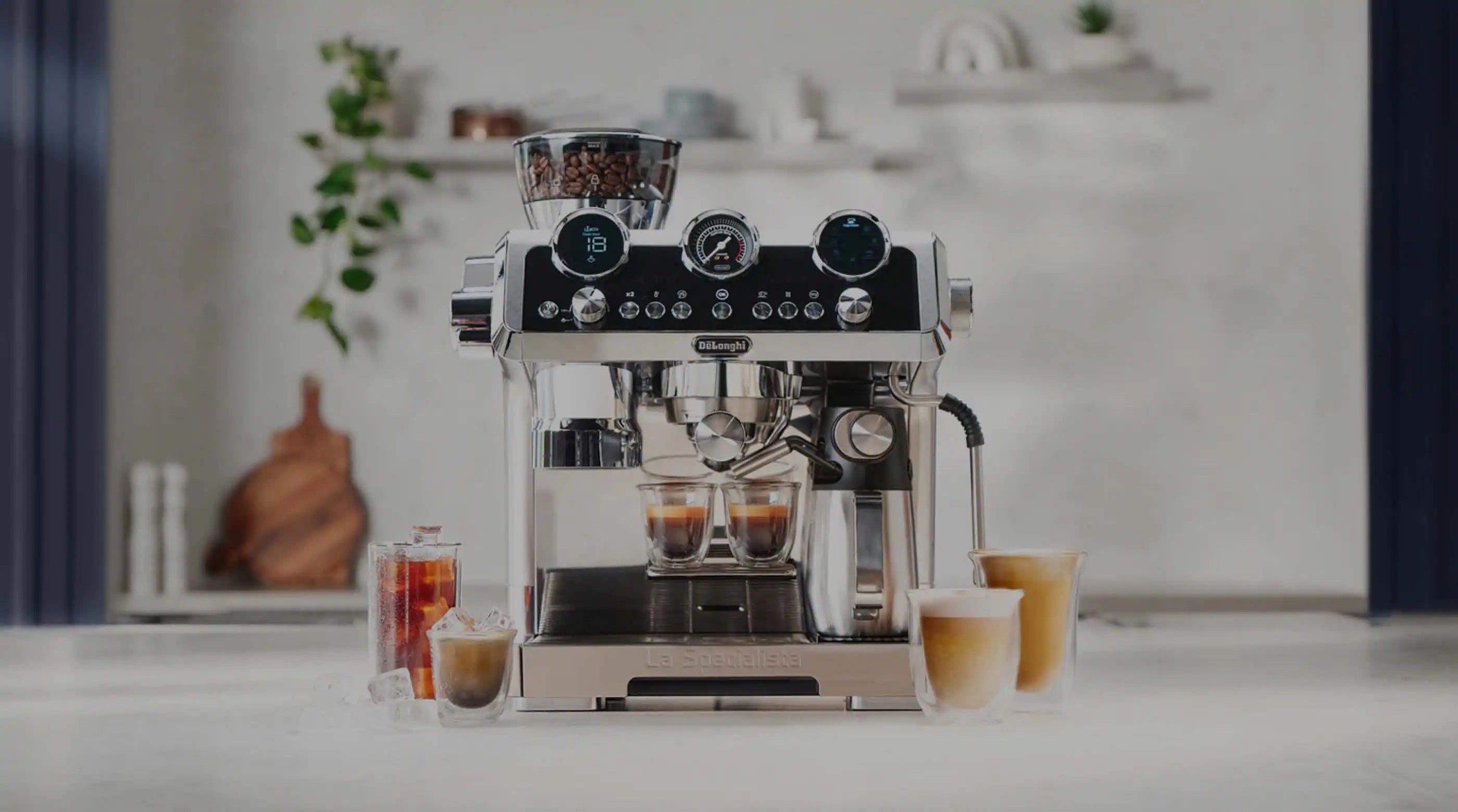
De’Longhi presents the machine for hot and cold coffee
What to Look for When Buying a Microwave?