

Appliance Types
- Air Conditioner
- Automobile
- Chainsaw
- Circular Saw
- Dishwasher
- Drills
- Dryer
- Drywall Screw Gun
- Furnace
- Gas Fireplace
- Gas Grill
- Gas Patio Heater
- Grinder
- Heat Pump
- Impact Driver
- Impact Wrench
- Microwave
- Nailer
- Orbital Sander
- Pool Heaters
- Powerwall
- Range
- Refrigerator
- Television
- Washer
- Water Heater
Appliance Brands
- A.O. Smith
- AccuCold
- Admiral Craft
- AGA
- Airrex
- Amana
- Ambiance
- American Range
- American Standard
- American Water Heaters
- Aquacal
- Armstrong
- Asko
- Avanti
- Avenlur
- Azure
- Beko
- Bellfires
- Bertazzoni
- Blackstone
- Blaze
- Blomberg
- BlueStar
- Bosch
- Bradford White
- Bromic
- Bryant
- Cafe
- Calcana
- Capital
- Carrier
- Char-Broil
- Char-Griller
- Chrysler
- Coates
- Coleman
- Comfortmaker
- Commercial Chef
- Continental
- Cosmo
- Cove
- Crown Verity
- Dacor
- Daikin
- Danby
- Danfoss
- DaVinci
- DCS
- Deco
- DeWALT
- Ducane
- Dyna-Glo
- Dyson
- EcoSmart
- Electrolux
- Element4
- Empava
- Equator
- Eurodib
- European Home
- Everdure
- Farberware
- Fhiaba
- FibroPool
- Fire Sense
- Fisher
- FiveStar
- Flare
- Flash Furniture
- Focus
- Ford
- Forno
- Forte
- Frigidaire
- Fulgor Milano
- Gaggenau
- GE
- General Motors
- GlowBrand
- Goodman
- Grundig
- GSW
- Haier
- Hayward
- Heatstar
- Heil
- Hestan
- Hisense
- Hitachi
- Hotpoint
- iio
- Ilve
- Impecca
- Ingignia
- Insignia
- JennAir
- John Wood
- Keeprite
- Kenmore
- Kenyon
- KitchenAid
- Kucht
- La Cornue
- Lennox
- LG
- Liebherr
- Lifetime
- Lion
- Luxaire
- Lynx
- Magic Chef
- Marvel
- Maytag
- McQuay
- MicroFridge
- Midea
- Miele
- Migali
- Monogram
- Montigo
- Mr Heater
- Napoleon
- Navien
- Nexgrill
- Noritz
- Panasonic
- Patio Comforts
- Payne
- Pentair
- Perlick
- PITT
- Premier
- Raypak
- Real Fyre
- Regency
- Reliance
- Rheem
- Rinnai
- Roma
- Ruud
- Saber
- Samsung
- Schwank
- Sharp
- Smeg
- Solas
- Sony
- Spartherm
- Speed Queen
- StaRite
- State Water Heaters
- Stiebel Eltron
- SubZero
- Summerset
- Summit
- SunGlo
- SunPak
- Sunpentown
- SunStar
- Superiore
- Takagi
- TCL
- TEC
- Tempstar
- Tesla
- Thermador
- Thor Kitchen
- Toshiba
- Town and Country
- Toyota
- Traeger
- Trane
- Twin Eagles
- U-Line
- Unique
- Vaillant Group
- Valor
- Verona
- Victory
- Viessmann
- Viking
- Vizio
- Weber
- Westinghouse
- Whirlpool
- Whynter
- York
- ZLINE
Article Categories
- Air Conditioners
- Appliance Care
- Appliance News
- Dishwasher News
- Drying Machines
- Furnaces
- Gas Fireplaces
- Microwaves
- Pool Heaters
- Refrigerators
- Stoves - Ranges
- Tips and Tricks
- Washing Machines
- Water Heaters
More Articles
Whirlpool Microwave Not Working
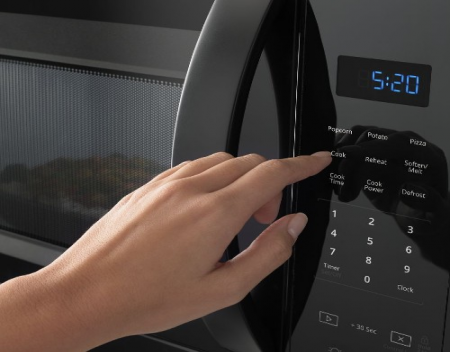
There are two possible ways that a Whirlpool microwave isn’t working. The first is if it’s not getting power at all, and nothing lights up, the other is if it powers on but won't start. Here’s how to fix both.
Check that power is getting to your microwave by ensuring the circuit breaker is not in the off position at the fuse box. Also, verify it’s plugged in at the wall outlet and the wall outlet is turned on. Ensure that energy save mode, demo mode, the control lock, and the countdown timer are cleared.
Verify that it’s plugged in and that the circuit breaker is on
As simple as it sounds, it’s important to check this step off the list. Locate the wall outlet that the microwave is plugged into. Some microwaves are built into the cabinetry, and won’t be plugged into an accessible wall outlet. In which case, you can only verify it’s getting power at the fuse box.
Where it is plugged into the wall, ensure it’s plugged in all the way, and that the switch at the wall outlet is on. Some have a switch while others don’t. Once you’ve done this step locate your fuse box.
The fuse box is the central hub that controls power to the different areas of your home. The circuit breaker can have clicked into the neutral or off position due to a power surge. Or, if a part of the house tried to draw too much power at once. This can happen if you’ve using multi plugs. These are where there is an extra device that’s plugged into the wall outlet to provide additional plugs. 2 and 4 way multi plugs are the most common in my experience. But, I’ve also seen 8-way multiplugs.
Also, multi-plugs can have an inbuilt circuit breaker that is tripped and can have an on-off button. Ensure that it’s also turned on, and also you can press the reset button. Just bear in mind that it will cut power to all the devices that are plugged into it.
Which can be a bit of a hassle if the devices will be reset to factory settings. Such as a fridge or the like. But, if you definitely got no power to your microwave, it’s plugged in and the circuit breaker is turned on then this is the next best option to try.
If you’ve done all of these steps double-check you’re not getting any power at all by opening the door of your microwave and seeing if the light comes on. If not, there is likely an internal component has blown on your microwave and will need to be replaced.
The door latch is blocked by something or not closed all the way.
The door will provide a reassuring click as it’s closed all the way. But, sometimes packing material can be caught in the door latch, and stops the computer from registering that the door is closed.
As a result, it will not start. Open the door and inspect the door latch mechanism on both the door and the part that the door latch clicks into and remove anything that can be caught in it. Also, ensure that the piece of crockery that you’re cooking the food in isn’t too large and is pressing against the door.
Energy save mode is enabled – it makes the control panel appear off.
When the microwave is not in use some Whirlpool microwave models have energy-save mode. This disables the display on the control panel screen when it hasn’t been used for a time. Once you press a button the screen will light up again.
This feature can also be disabled or enabled as you choose. It’s accessed from the clock settings on your microwave. Bear in mind that only certain models have this feature. How to enable or disable it also differs by model.
To turn it on or off refer to the instructions in your owner’s manual. If you don’t have your owner's manual you can download it from the official Whirlpool website.
The control lock is enabled and needs to be disabled.
The control lock stops any keys on the control panel from doing anything when it’s enabled. It’s turned on and off by holding the ‘clear/cancel’ button for 3 seconds. If you look closely at the button directly below it in grey lettering it says control lock.
When it’s enabled there will be a padlock icon on the display.
SOURCE: readytodiy.com
There are two possible ways that a Whirlpool microwave isn’t working. The first is if it’s not getting power at all, and nothing lights up, the other is if it powers on but won't start. Here’s how to fix both.
Check that power is getting to your microwave by ensuring the circuit breaker is not in the off position at the fuse box. Also, verify it’s plugged in at the wall outlet and the wall outlet is turned on. Ensure that energy save mode, demo mode, the control lock, and the countdown timer are cleared.
Verify that it’s plugged in and that the circuit breaker is on
As simple as it sounds, it’s important to check this step off the list. Locate the wall outlet that the microwave is plugged into. Some microwaves are built into the cabinetry, and won’t be plugged into an accessible wall outlet. In which case, you can only verify it’s getting power at the fuse box.
Where it is plugged into the wall, ensure it’s plugged in all the way, and that the switch at the wall outlet is on. Some have a switch while others don’t. Once you’ve done this step locate your fuse box.
The fuse box is the central hub that controls power to the different areas of your home. The circuit breaker can have clicked into the neutral or off position due to a power surge. Or, if a part of the house tried to draw too much power at once. This can happen if you’ve using multi plugs. These are where there is an extra device that’s plugged into the wall outlet to provide additional plugs. 2 and 4 way multi plugs are the most common in my experience. But, I’ve also seen 8-way multiplugs.
Also, multi-plugs can have an inbuilt circuit breaker that is tripped and can have an on-off button. Ensure that it’s also turned on, and also you can press the reset button. Just bear in mind that it will cut power to all the devices that are plugged into it.
Which can be a bit of a hassle if the devices will be reset to factory settings. Such as a fridge or the like. But, if you definitely got no power to your microwave, it’s plugged in and the circuit breaker is turned on then this is the next best option to try.
If you’ve done all of these steps double-check you’re not getting any power at all by opening the door of your microwave and seeing if the light comes on. If not, there is likely an internal component has blown on your microwave and will need to be replaced.
The door latch is blocked by something or not closed all the way.
The door will provide a reassuring click as it’s closed all the way. But, sometimes packing material can be caught in the door latch, and stops the computer from registering that the door is closed.
As a result, it will not start. Open the door and inspect the door latch mechanism on both the door and the part that the door latch clicks into and remove anything that can be caught in it. Also, ensure that the piece of crockery that you’re cooking the food in isn’t too large and is pressing against the door.
Energy save mode is enabled – it makes the control panel appear off.
When the microwave is not in use some Whirlpool microwave models have energy-save mode. This disables the display on the control panel screen when it hasn’t been used for a time. Once you press a button the screen will light up again.
This feature can also be disabled or enabled as you choose. It’s accessed from the clock settings on your microwave. Bear in mind that only certain models have this feature. How to enable or disable it also differs by model.
To turn it on or off refer to the instructions in your owner’s manual. If you don’t have your owner's manual you can download it from the official Whirlpool website.
The control lock is enabled and needs to be disabled.
The control lock stops any keys on the control panel from doing anything when it’s enabled. It’s turned on and off by holding the ‘clear/cancel’ button for 3 seconds. If you look closely at the button directly below it in grey lettering it says control lock.
When it’s enabled there will be a padlock icon on the display.
SOURCE: readytodiy.com
Global vacuum cleaner market to grow by CAGR of 9.6 until 2028

The AWE Innovation Award to Bertazzoni ovens
De’Longhi presents the machine for hot and cold coffee
ÀTRIA functional outdoor kitchen by Abimis
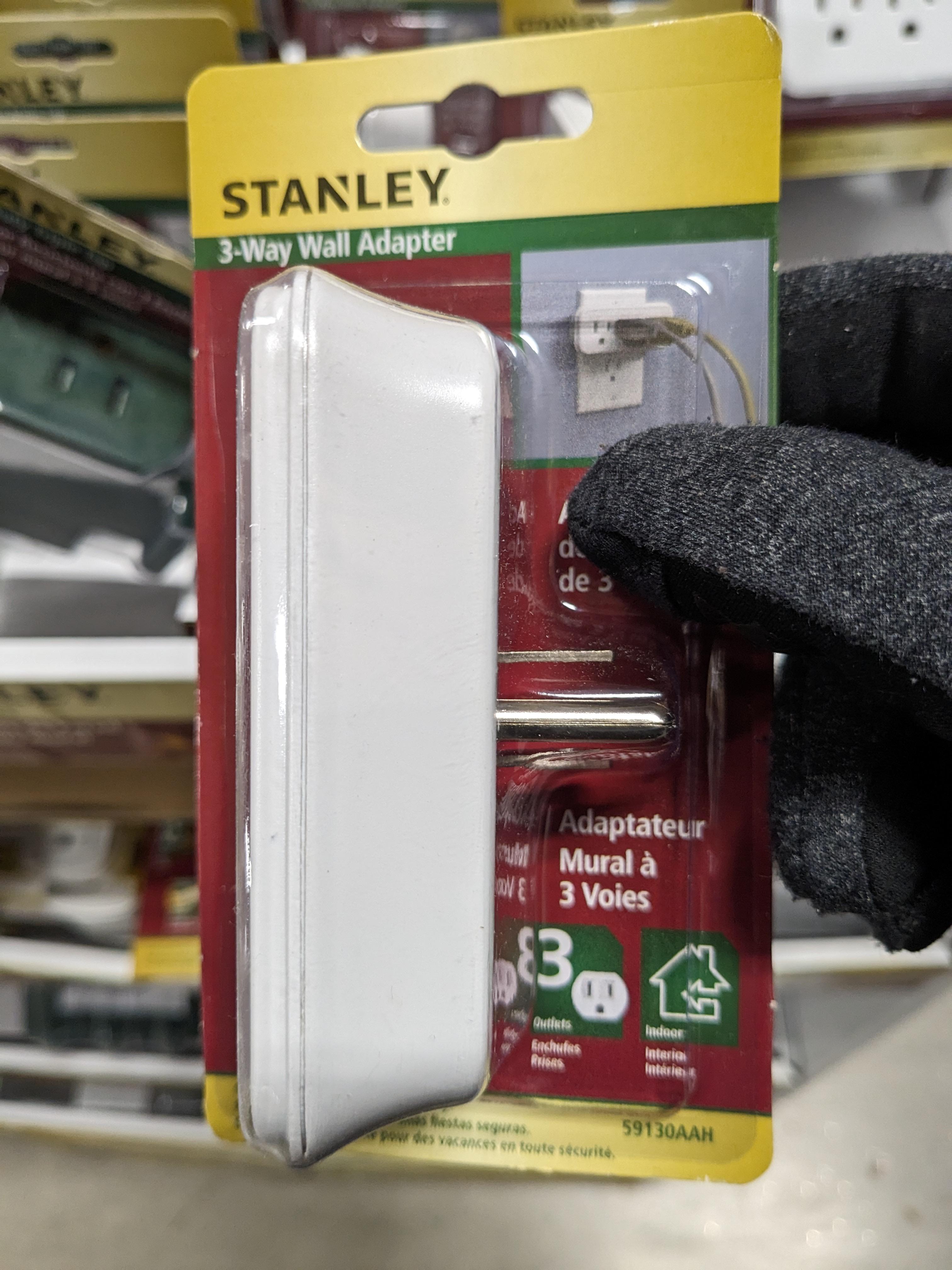
Can Portable electric space heaters be plugged into this?
Hauslane Expands To Brick And Mortar Locations With Nationwide Marketing Group